
Celeste Farewell-PLAZA

Title: Celeste Farewell-PLAZA
Genre: Action, Adventure, Platformer
Developer: Matt Makes Games Inc.
Publisher: Matt Makes Games Inc.
Release Date: 25 Jan, 2018
Languages: English, French, Italian, German, Spanish, Etc …
File Size: 0.99 GB / Single Link Compressed
Mirrors: Datanodes, Google Drive, Mediafire, Megaup, Pixeldrain, Torrent
Free Download Celeste Farewell PC Game – The controls are simple and accessible – simply jump, air-dash, and climb – but with layers of expressive depth to master, where every death is a lesson. Lightning-fast respawns keep you …
DESCRIPTION
The controls are simple and accessible – simply jump, air-dash, and climb – but with layers of expressive depth to master, where every death is a lesson. Lightning-fast respawns keep you climbing as you uncover the mysteries of the mountain and brave its many perils.
This is it, Madeline. Just breathe. You can do this.
SCREENSHOT
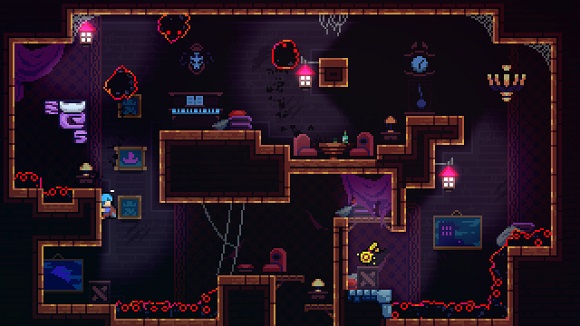
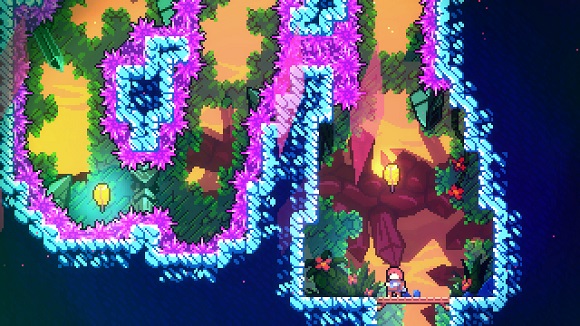
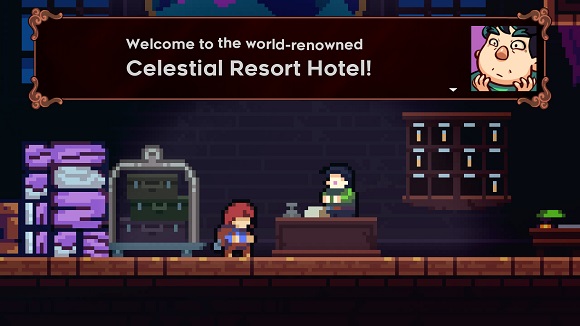
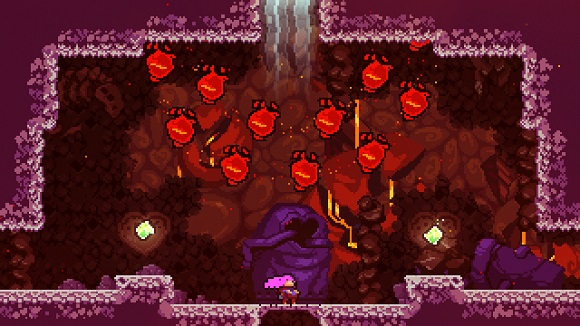
SYSTEM REQUIREMENTS
• OS: Windows 7 or newer
• Processor: Intel Core i3 M380
• Memory: 2 GB RAM
• Graphics: Intel HD 4000
• DirectX: Version 10
• Storage: 1200 MB available space
LINK DOWNLOAD
• Rar password: ovagames.onl
• Mirrors marked with “•” are unavailable in some countries
• Whitelist or disable vpn / proxy / adblock to avoid error 404
• For any other questions, please read FAQ page
INSTALL NOTE
2. Mount ISO
3. Install the game
4. Copy crack from the PLAZA folder
5. Play!
Full List of Supported Languages:
English, French, Italian, German, Spanish, Japanese, Portuguese-Brazil, Russian, Simplified Chinese
NOTES: This release is standalone and updated to v1.3.1.2
General Notes:
• Block the game’s exe in your firewall to prevent the game from trying to go online ..
• If you install games to your systemdrive, it may be necessary to run this game with admin privileges instead
16 Responses to “Celeste Farewell-PLAZA”
Leave a Reply

exclusive games


this game is masterpiece
Cannot play the game, when I click the .exe nothing happens, I already follow all the steps on install notes but still cant play
you will also need to install Microsoft XNA Framework
Not working whenever i clikc celeste.exe nothing happen and nothing too in Task Manager any solve?
you will also need to install Microsoft XNA Framework.
Takipçi ve beğeni satış profil itibarını ve kullanma amacına göre satışlarınızı artırmaktadır.
note to gamers,
you will also need to find and install Microsoft XNA Framework
I was gonna emulate this bruh 😭
how do i install moods?
Opens steam and says “no licenses” what do i do
solve?
open the plaza folder in setup file, copy the file and paste in game file
The filecrypt link doesn’t work anymore. Please re-upload, thanks
Hello. one of the links is down. I think this is the only way i can let you know about thi. Hope it get fixed it as soon as possible. Thanks
Not work with following error below, copy crack from plaza folder with manual or auto from installer still not work. Error:
Monocle Engine Error Log
==========================================
12/21/2025 4:27:56 PM
System.DllNotFoundException: CSteamworks assembly: type: member:(null)
at (wrapper managed-to-native) Steamworks.NativeMethods.SteamAPI_RestartAppIfNecessary(Steamworks.AppId_t)
at Steamworks.SteamAPI.RestartAppIfNecessary (Steamworks.AppId_t unOwnAppID) [0x00005] in :0
at Celeste.Celeste.Main (System.String[] args) [0x00014] in :0
12/21/2025 4:26:24 PM
System.DllNotFoundException: CSteamworks assembly: type: member:(null)
at (wrapper managed-to-native) Steamworks.NativeMethods.SteamAPI_RestartAppIfNecessary(Steamworks.AppId_t)
at Steamworks.SteamAPI.RestartAppIfNecessary (Steamworks.AppId_t unOwnAppID) [0x00005] in :0
at Celeste.Celeste.Main (System.String[] args) [0x00014] in :0
12/20/2025 6:37:05 AM
System.DllNotFoundException: CSteamworks assembly: type: member:(null)
at (wrapper managed-to-native) Steamworks.NativeMethods.SteamAPI_RestartAppIfNecessary(Steamworks.AppId_t)
at Steamworks.SteamAPI.RestartAppIfNecessary (Steamworks.AppId_t unOwnAppID) [0x00005] in :0
at Celeste.Celeste.Main (System.String[] args) [0x00014] in :0
12/20/2025 6:34:59 AM
System.DllNotFoundException: CSteamworks assembly: type: member:(null)
at (wrapper managed-to-native) Steamworks.NativeMethods.SteamAPI_RestartAppIfNecessary(Steamworks.AppId_t)
at Steamworks.SteamAPI.RestartAppIfNecessary (Steamworks.AppId_t unOwnAppID) [0x00005] in :0
at Celeste.Celeste.Main (System.String[] args) [0x00014] in :0
12/20/2025 2:50:34 AM
System.DllNotFoundException: CSteamworks assembly: type: member:(null)
at (wrapper managed-to-native) Steamworks.NativeMethods.SteamAPI_RestartAppIfNecessary(Steamworks.AppId_t)
at Steamworks.SteamAPI.RestartAppIfNecessary (Steamworks.AppId_t unOwnAppID) [0x00005] in :0
at Celeste.Celeste.Main (System.String[] args) [0x00014] in :0
12/20/2025 2:49:04 AM
System.DllNotFoundException: CSteamworks assembly: type: member:(null)
at (wrapper managed-to-native) Steamworks.NativeMethods.SteamAPI_RestartAppIfNecessary(Steamworks.AppId_t)
at Steamworks.SteamAPI.RestartAppIfNecessary (Steamworks.AppId_t unOwnAppID) [0x00005] in :0
at Celeste.Celeste.Main (System.String[] args) [0x00014] in :0
12/20/2025 2:18:40 AM
System.DllNotFoundException: CSteamworks assembly: type: member:(null)
at (wrapper managed-to-native) Steamworks.NativeMethods.SteamAPI_RestartAppIfNecessary(Steamworks.AppId_t)
at Steamworks.SteamAPI.RestartAppIfNecessary (Steamworks.AppId_t unOwnAppID) [0x00005] in :0
at Celeste.Celeste.Main (System.String[] args) [0x00014] in :0
I update to v1.4.0.0 from elamigos and now can open without issue, but I think this elamigos version without farewell expansion, well at least it works! Hope you also upload it, so it can be alternative for people who have error issue like me.